How to get to the secret Developer Island in How to Fish

How to Fish has five different locations for you to visit and fish, but you can find a secret one. This one is present in the game, but it’s only available with the Developer build as of writing.
In this guide, I will go through the exact steps so that you can locate this location on your save file.
How to find the Developer Island in How to Fish
First, you’ll need a save file because we will have to edit that. Once you have created a save file, quit the game and open the File Explorer to complete the following steps.
- Go to %appdata%
- Select LocalLow, and then Dazed Games. Open all sub folders until you open the Saves folder.
- You can also find it from your default “Users” folder (It will be inside your named folder).
- You will find all your created save files just like in the image below. For reference, I will be using the “Just Me” file to make the necessary changes.

In the file, look for the command line SpawnedIsland. Set it to “5” and then save the changes.
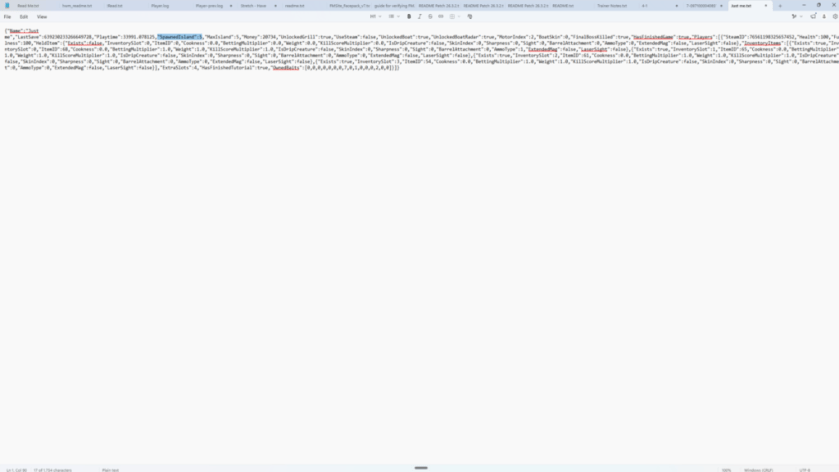
When you reload into your save the next time, you’ll find yourself on this island. You get a shop available at the island for your purchases. The casino is also present, as is the grill. However, you can’t fish at the location. I have tried, but the surrounding ocean waters don’t appear to have any fish.
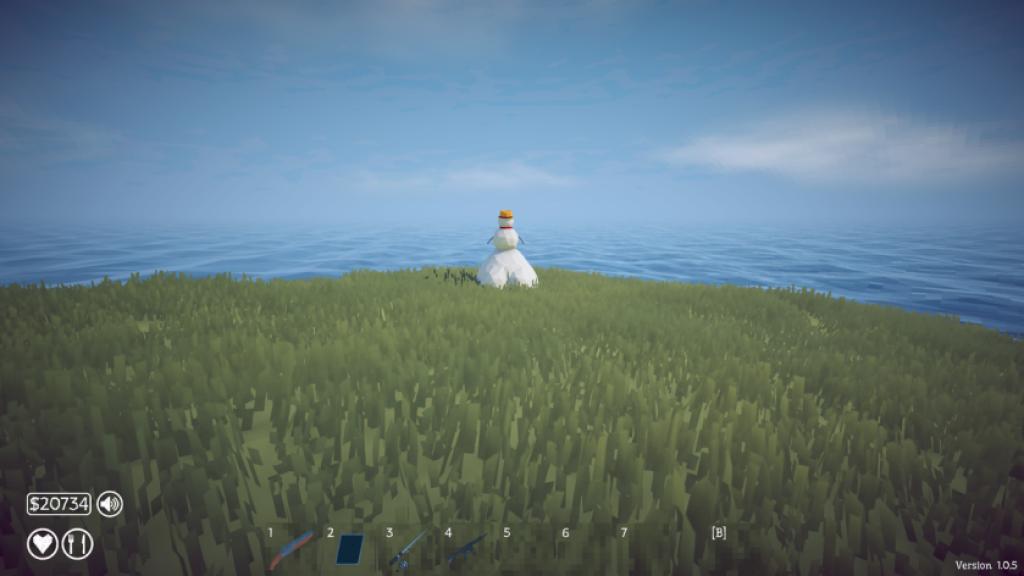
I believe that this location will have new species to catch and quests to complete, but those will appear in future updates. For now, we still have four unique locations to visit and catch fish (excluding the starter Lighthouse where everyone spawns for the first time).
If you have yet to explore the most advanced areas, you can check out this guide to know more about what needs to be done. You can check out this guide to keep a track of all the species you can catch on your adventure.
The post How to get to the secret Developer Island in How to Fish appeared first on Destructoid.