CRTs be damned, the Intec Time Breaker Lightgun for PS1/PS2 brings Guncon romps like Time Crisis 2 back to the living room and onto your newfangled TV
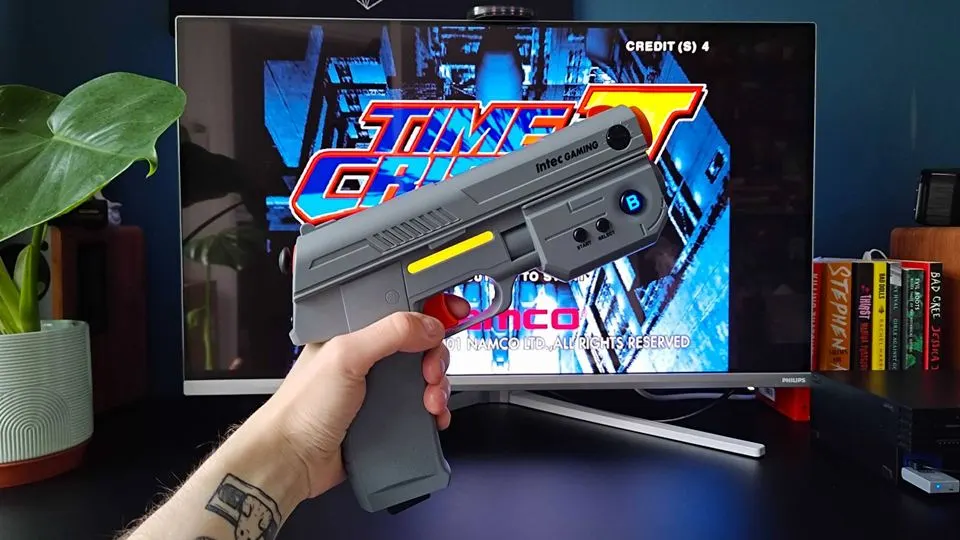
Call me a Debbie Downer, but I initially assumed the Intec Time Breaker Lightgun would ultimately be a waste of time. I figured that a wireless, modern-day recreation of the mighty PS1/PS2 Guncon that's compatible with modern TVs would be riddled with caveats, especially compared to an original CRT experience. You know what they say about assumptions, as after having a blast playing all my favorite arcade shooters with the faux firearm, I now feel like an ass.
My original reservations were linked to the Intec Time Breaker Lightgun for PS1/PS2 being fully compatible with original retro consoles, rather than flat screen compatibility. After all, I've already put plenty of modern alternatives through their paces, including the mighty Sinden Lightgun for custom PC emulation setups and the G'AIM'E Time Crisis Lightgun console that serves as its own standalone system. Those retro setup sidearms serve as enthusiast and entry-level options respectively, whereas Intec's console-compatible piece sits somewhere in the middle.
That's not to say this retro controller is "mid-range", it's more that it's one of the only modern PS1/PS2 compatible lightguns that'll play nice with modern gaming monitors and TVs. I do have qualms with calling this acessory "plug and play", as you'll need to go through the usual calibration rigmaole to start your retro raid. But, once you have things set, this plastic pistol offers respectable responsiveness and accuracy that justifies its $160 price tag.
Assembly required before jumping into action
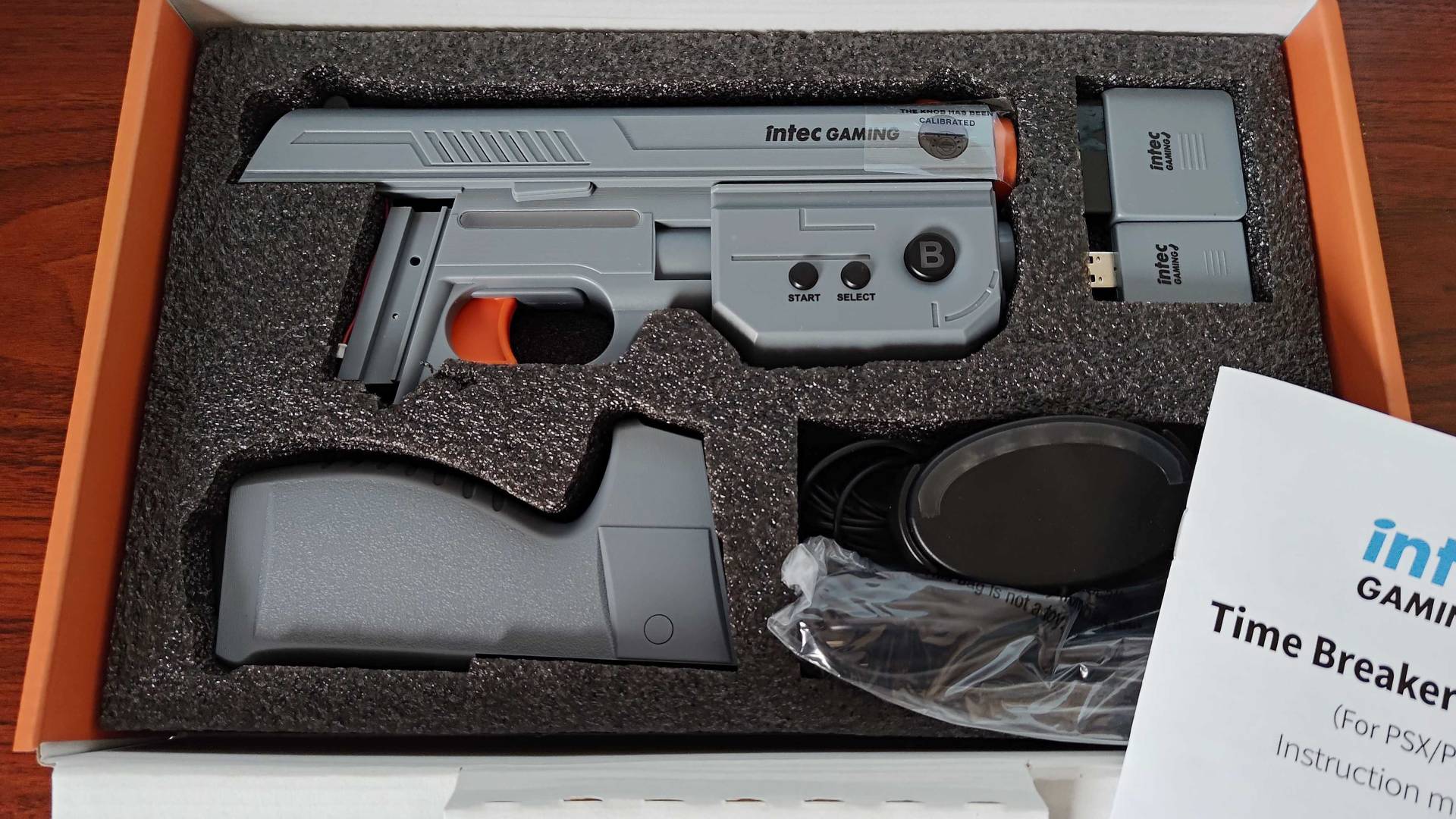
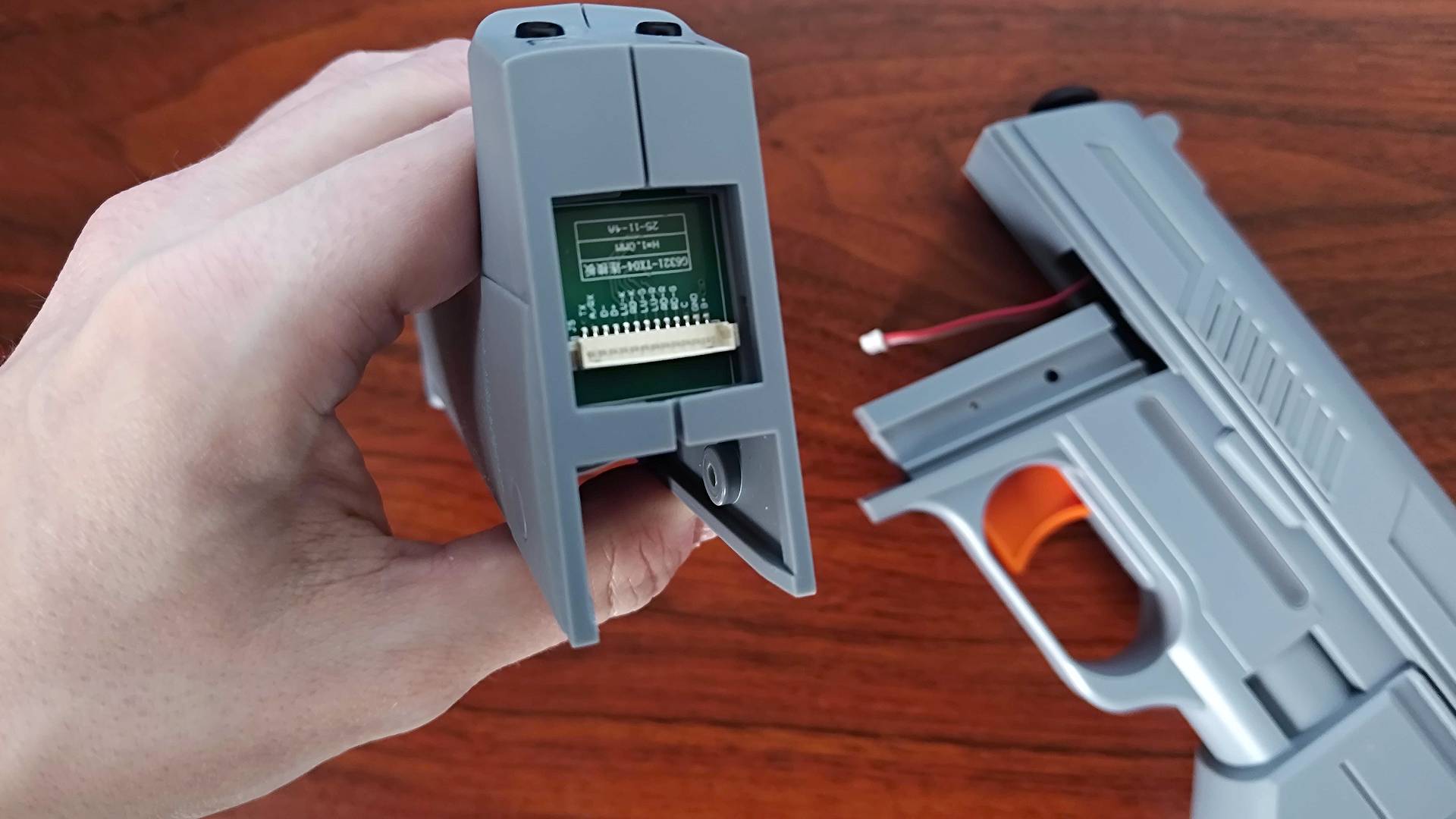
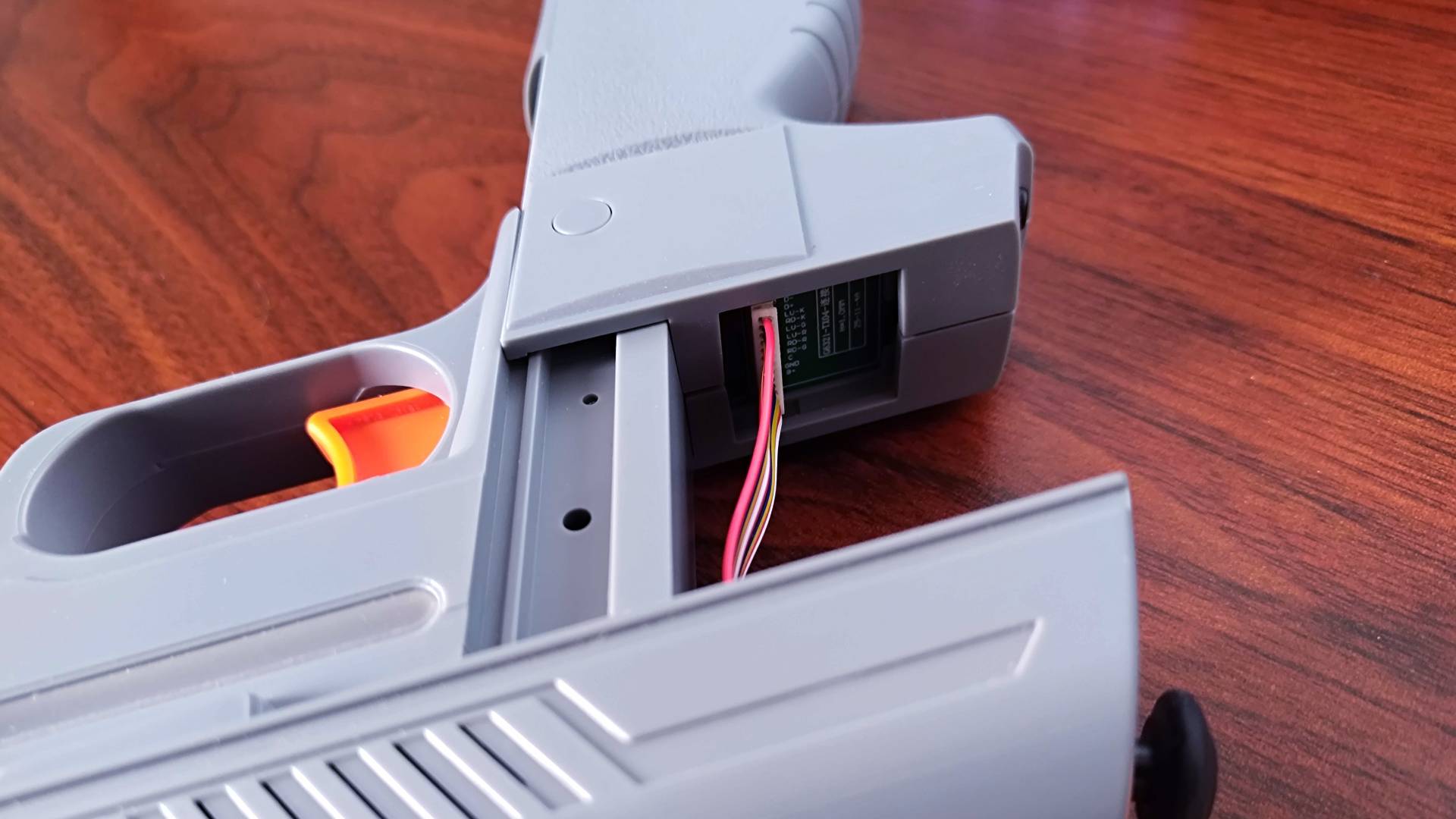
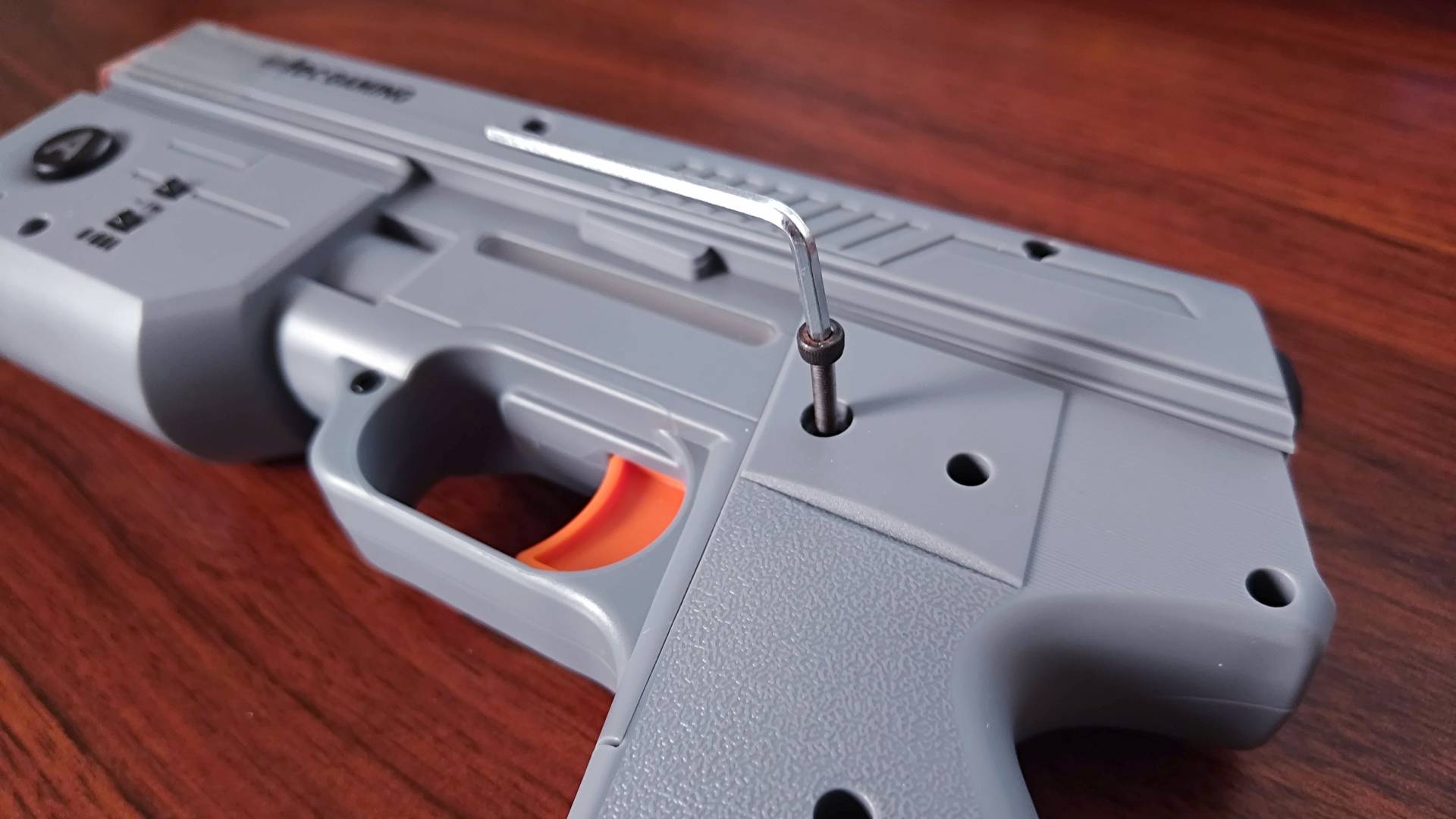
I'm not entirely sure why, but Intec's light gun is separated into two parts. Before getting started, you'll have to unite the grip with the body, which feels a bit like being a gunsmith. However, there's a specific step that is a bit iffy for something at this price range, as you'll have to connect wires to a socket in the magazine.
Sure, given that I fix retro consoles and mess around with PCs, I'm comfortable plugging cables into bare PCBs. I suspect some people might find it uncomfortable, though, and there are various ways you could damage the socket or yank the wires out of their connector. You'll also have to slide the mag into the body without pinching the wires between the plastic, so keep that in mind if you've already picked up these plastic arms.
That said, the two-step assembly process is fairly simple if you take care, and once you've secured a side hex screw into place to hold everything together, you're ready to start shootin'. Or, you're at least primed to plug either the included PS1 receiver or PS2 USB dongle into your Sony console of choice and start calibrating.
Calibration obligations
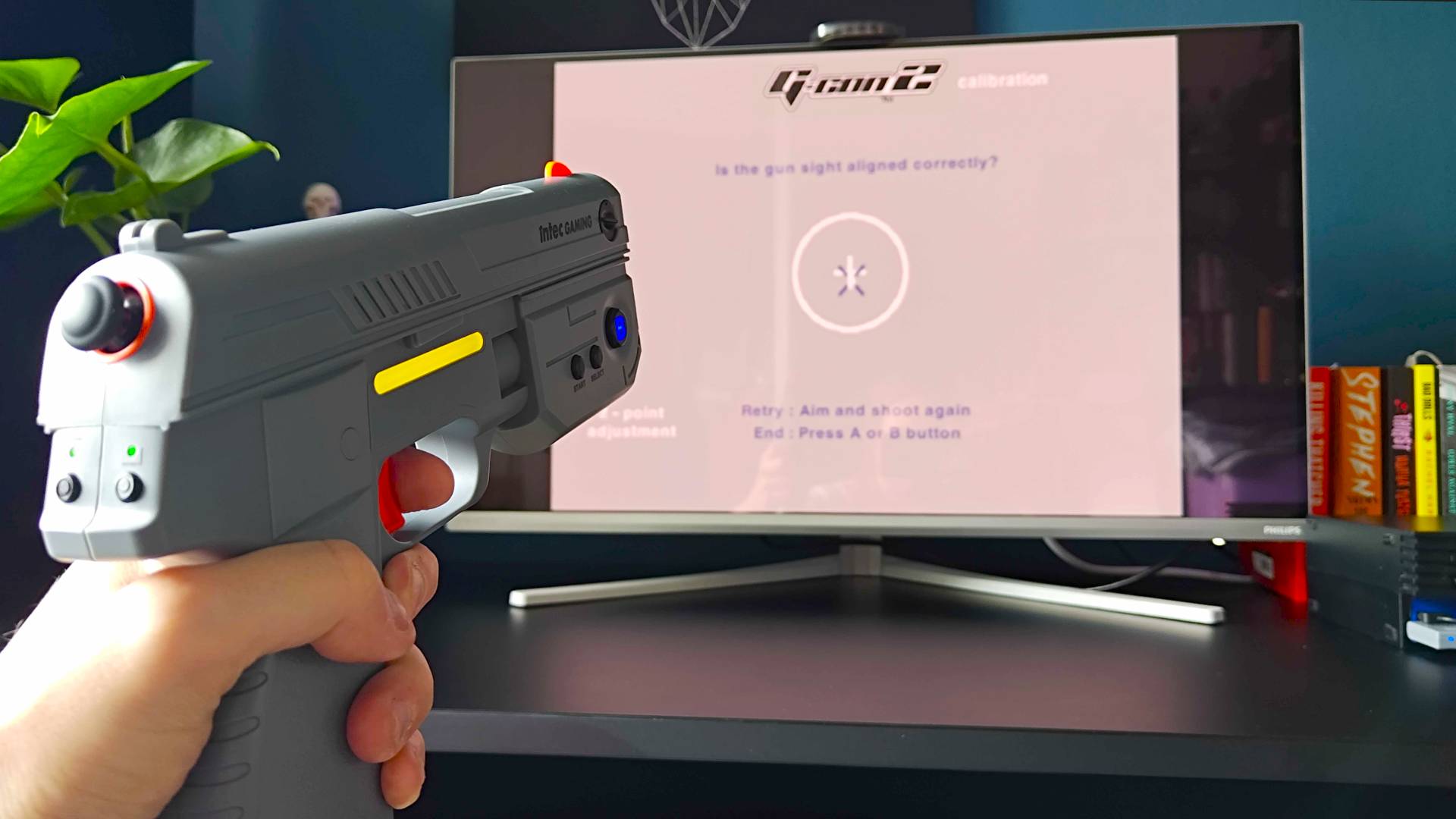
The Time Breaker boldly states that it's "plug and play" on the box, so you might be fooled into thinking you can simply plug in your appropriate console dongle alongside the included IR receiver on the top of your screen and start landing virtual bullets in the noggins of fictional terrorists.
Compared to the Sinden Lightgun, the Time Breaker's plug-and-play qualities ring true since you won't have to touch additional software. You also won't have to go through a whole calibration rigmarole every time you switch your system on (looking at you, G'AIM'E console), but if you don't get the initial tweaks quite right, accuracy will feel more like "plug and nae".
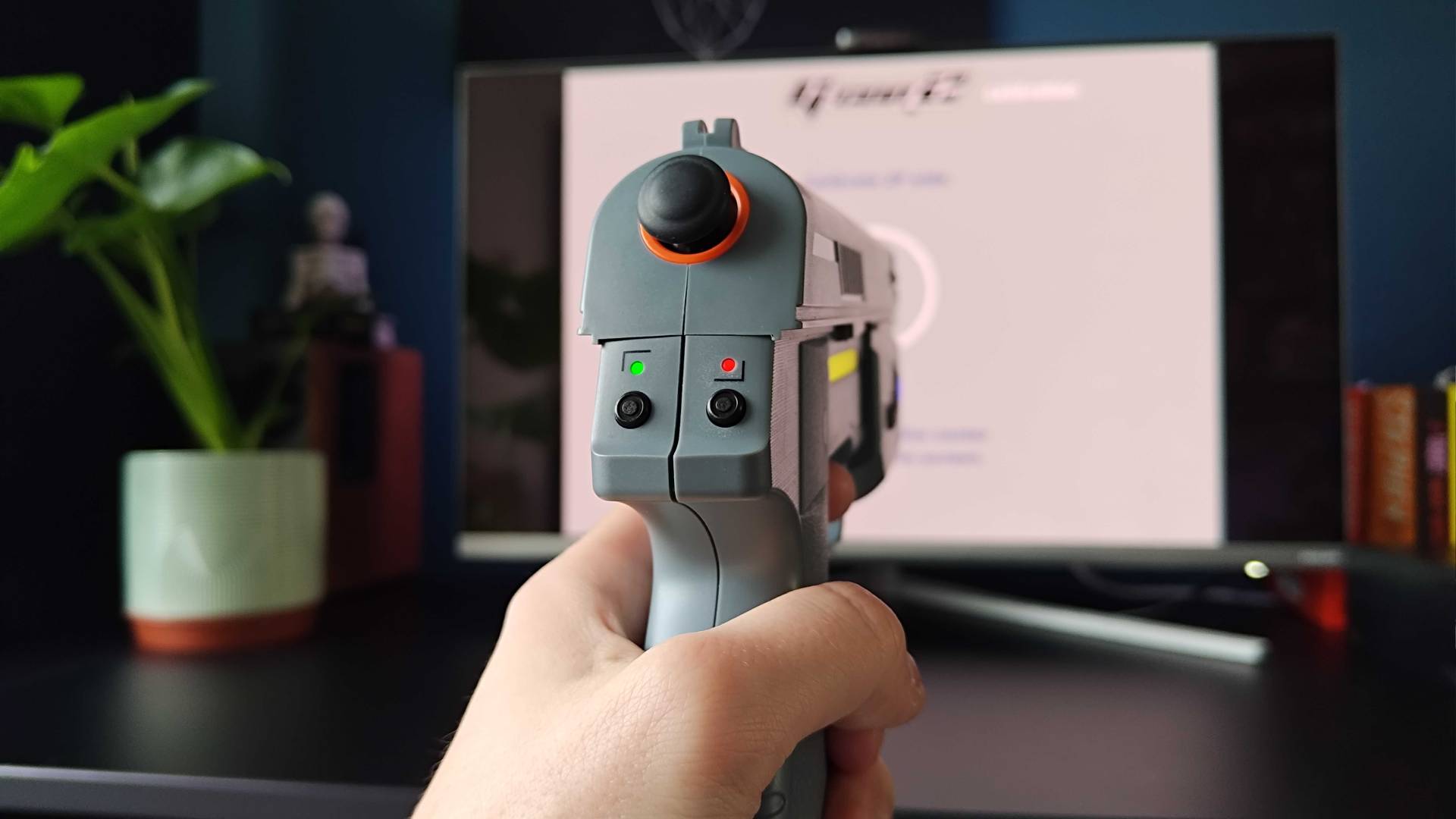
Unlike either the Sinden Lightgun or the G'AIM'E system, Intec's accessory works more like a Wiimote. No, that isn't a dig, but the fact its camera sensor uses the IR bar to calculate positioning does feel more rudimentary. This works in conjunction with additional screen edge mapping, represented by two LEDs on the back, that can help you determine the top corners and set a more exact boundary.
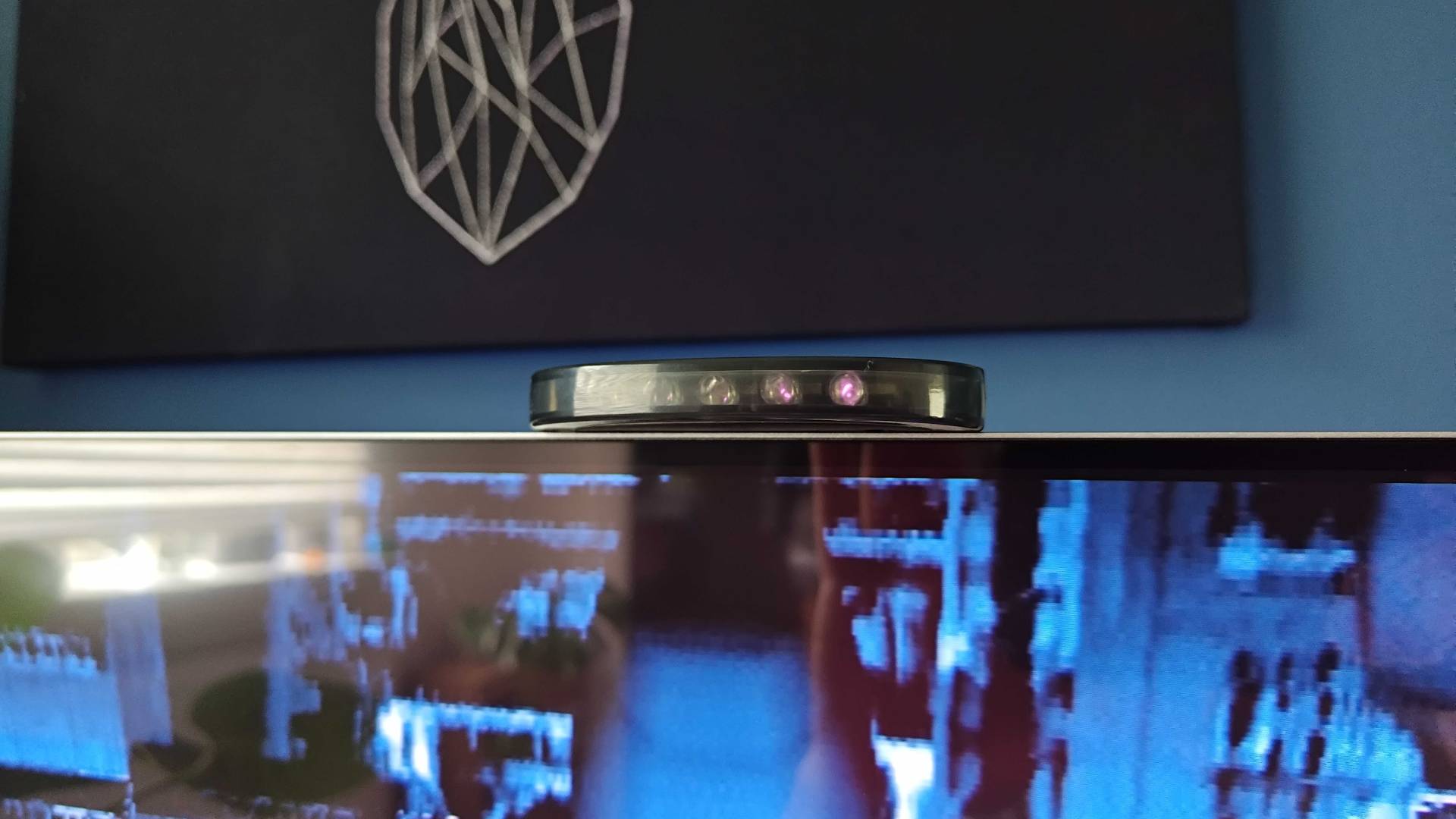
Not unlike the G'AIM'E box, the Time Breaker comes with both a quick setup sheet and a full manual. Both will guide you through the calibration process, but I found that while it details each step, there are some intricacies it could have elaborated on more. I'm specifically hung up about the pivoting side dial that adjusts the camera sensor angle for vertical calibration; if that's not precise, it will throw off the horizontal mapping step.
After messing in the Time Crisis 2 initial calibration screen trying to get everything to play ball, I eventually figured out how to accurately adjust the vertical sensor angle. It sounds obvious as I typed this out loud, but the best approach is to get the moving reticule on screen (by shooting the target and sticking the thumbstick), then tweaking the dial so that shots land exactly in view of the top orange iron sight.
Once the vertical side of things feels precise, you'll find that the back lights will let you better set the horizontal screen boundaries. You'll know things are functioning when the LED displays one red and one green when pointing at the left and right corners, allowing you to press their respective buttons and fire to confirm their positioning and achieve all green.
Of course, environmental factors can throw off the Time Breakers aim too, like bright lights near your screen or the IR sensor sitting at a weird angle. You'll also want to pay attention to the manual's distance advice based on your display size, as that will absolutely matter. Providing you've nailed the steps both via the pamphlet and the nuances I've described above, you should be ready to start making a ruckus in your favorite PS1 and PS2 shooters.
A solid shooter with surprising features
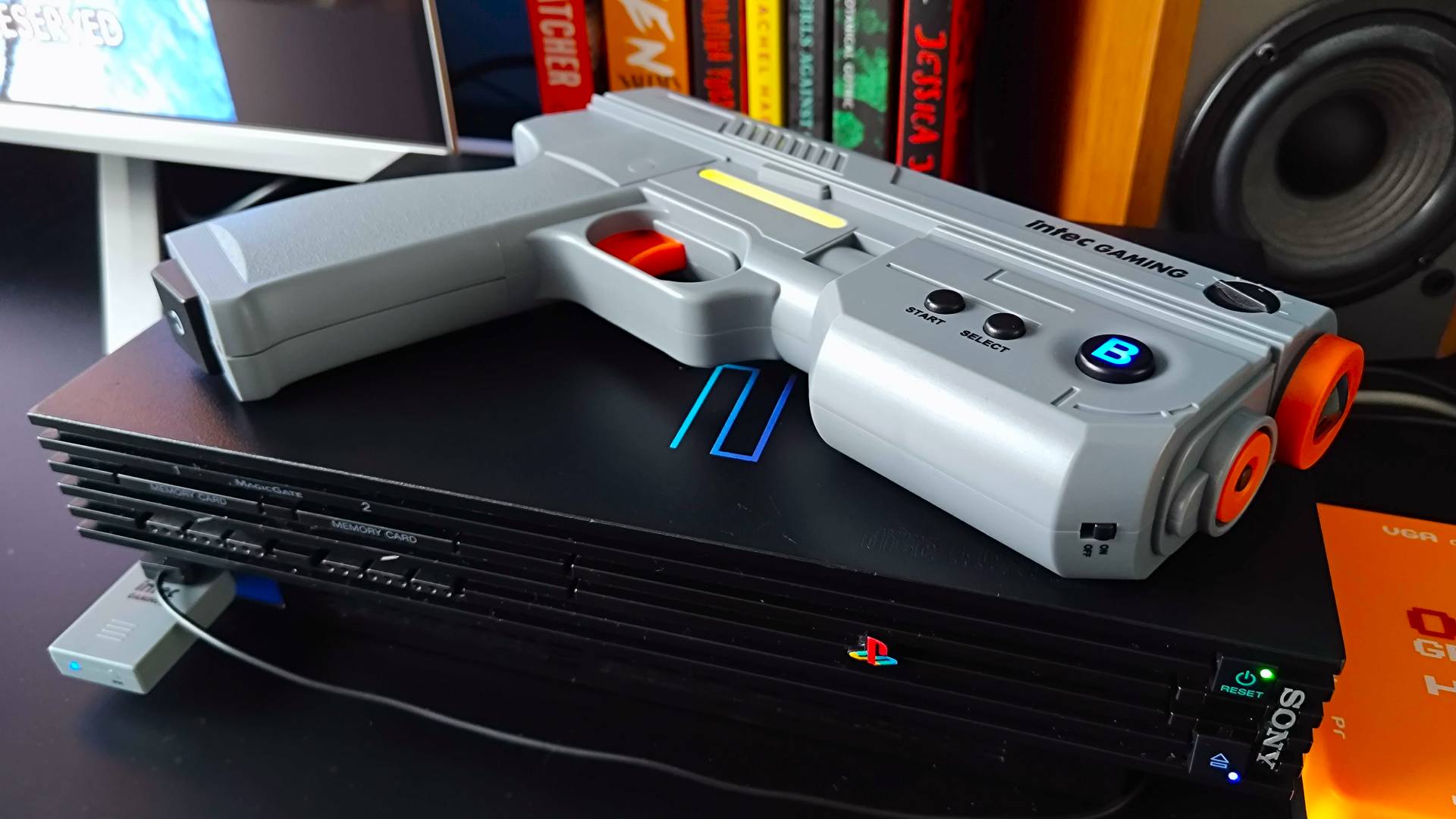
Again, I feel like a fool for doubting the Time Breaker when it comes to build quality. I figured it would feel slightly lighter in the hand than both the Sinden and G'AIM'E light guns, but it actually feels more solid than the latter and includes plenty of fancy extras that give it a premium vibe.
Naturally, the Time Breaker avoids looking exactly like a Guncon for copyright reasons, but it still looks very much like a spiritual successor. It's got plenty of detailing on the body, like faux barrel and "cocking serration" ridges that actually serve a purpose on a real gun, not to mention it's got big A and B buttons on the sides that add to the '90s at-home arcadey vibes.
Simply put, it nails the Guncon aesthetics and sprinkles in some lavish extras like RGB side lights and illumination behind those aforementioned A and B buttons. That should all come second to the actual feel of this piece in the hands, and I'd actually go as far as to say that it pleases my hands more than the G'AIM'E and Sinden guns, albeit in different ways compared to each.
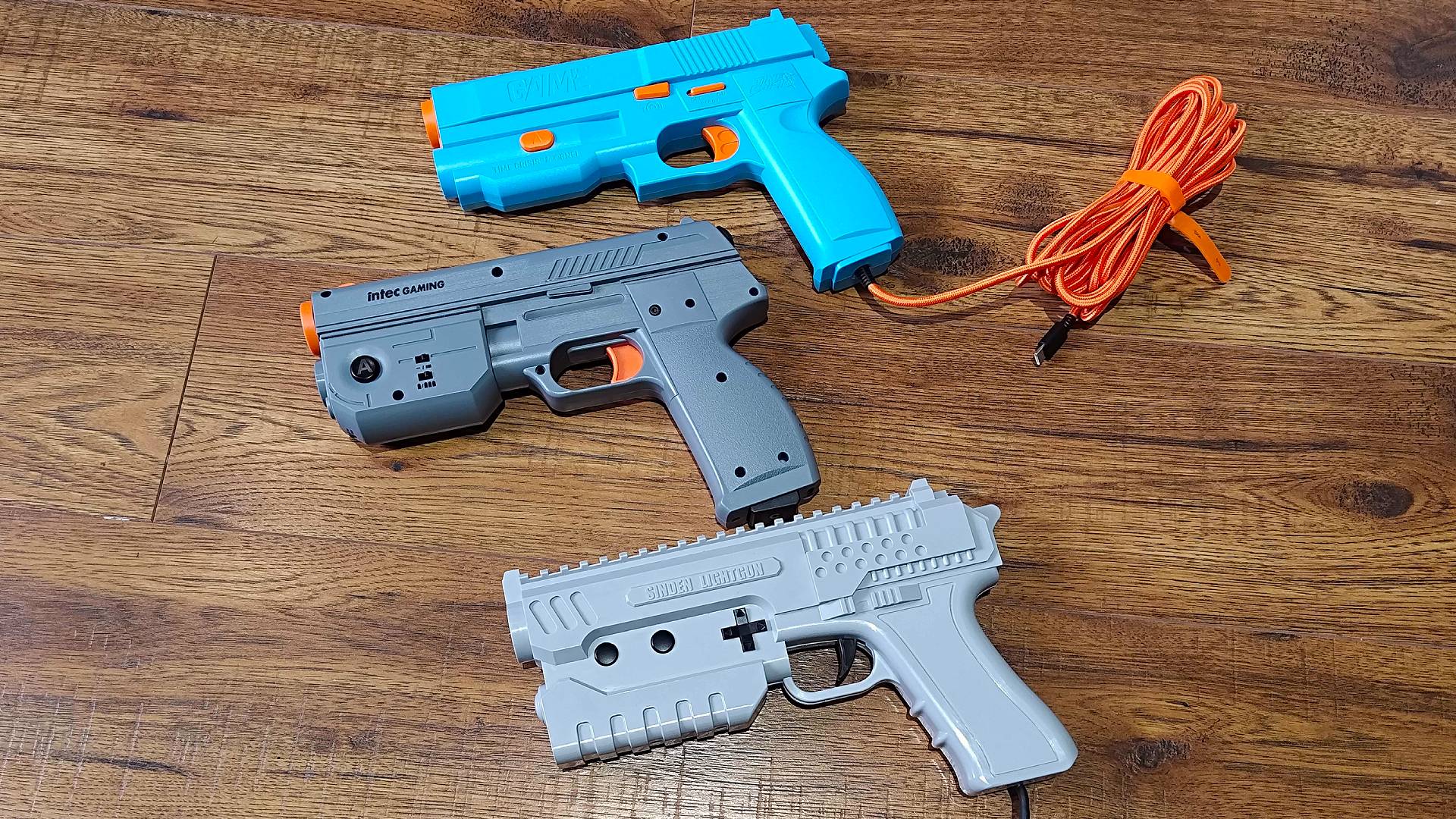
I don't want to accuse the G'AIM'E guns of now feeling plasticky, but they are certainly on the light side compared to the Time Breaker. Yes, part of that is all the extras, including the 3,500 mAh rechargeable battery crammed into Intec's accessory. The latter also means you won't have a cord pulling the magazine ever so slightly downwards, which in itself is a testament to the benefits of cutting the cord.
The Sinden gun is far weightier than either light gun, providing a heft that's closer to the arcade pistols. That's in part due to the solenoid recoil that provides each shot with an extraordinary kick, but I do almost prefer the clickiness of Intec's trigger switches and the larger side buttons.
I still think the Sinden is a different class of light gun, providing perks like pump action reloading and a d-pad before we even get to overall performance accuracy. That said, the Time Breaker feels more like a comfortable PS1/PS2 Guncon alternative that'll suit modern players, providing conveniences like on-board toggles for rapid-fire, recoil, and a full thumbstick where the hammer would live for a modern controller feel.
The Time Breaker aims to please, but only in Guncon games
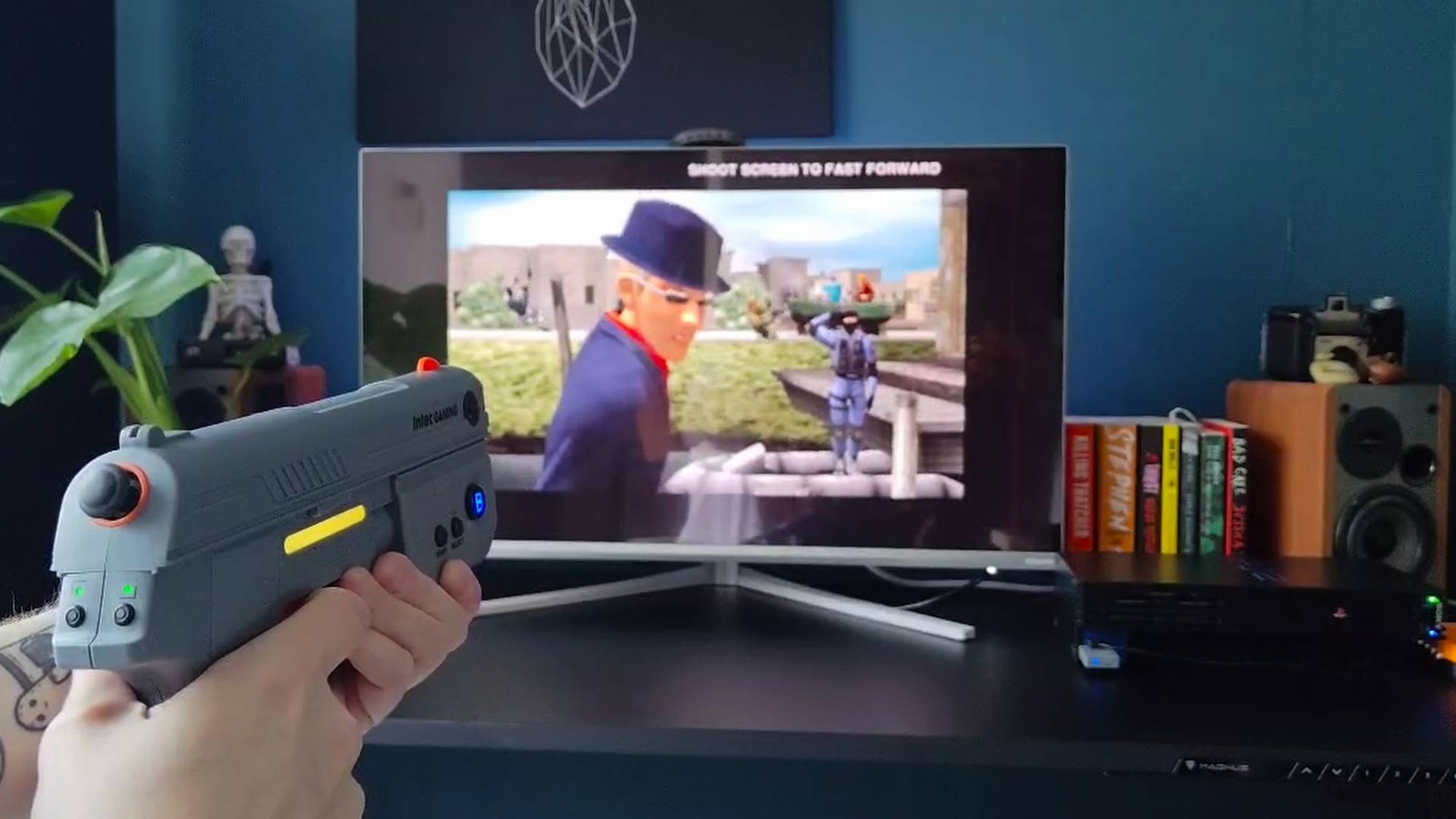
Behind the scenes, I've been putting together a general run-through on how to play PS2 games using an original console and other means. The Intec Time Breaker has accompanied me on that journey, assisting in the light gun side of things, and while raining bullets upon masked goons in the Time Crisis series has been delightful and surprisingly close in feel to a CRT TV setup, the experience is exclusive to Guncon-compatible games.
The intricacies of lightgun tech aren't often relevant in 2026, largely due to options like the Sinden working with emulators via a PC app for compatibility. Where the Time Breaker differs is that it has to spoof the functionality of an actual accessory for specific games, and it has chosen to mimic Namco's light gun exclusively.
There is a technical reason for sticking to one, as the OG Guncon used different tech to the likes of the Konami Justifier. The latter solely relied on specific game programming and the PS1's controller port, whereas both the Guncon 1 and 2 tap into your retro console cable's composite signal. It's a clever process that uses video sync data for frame timing, allowing for more accurate shots based on calculated aim coordinates.
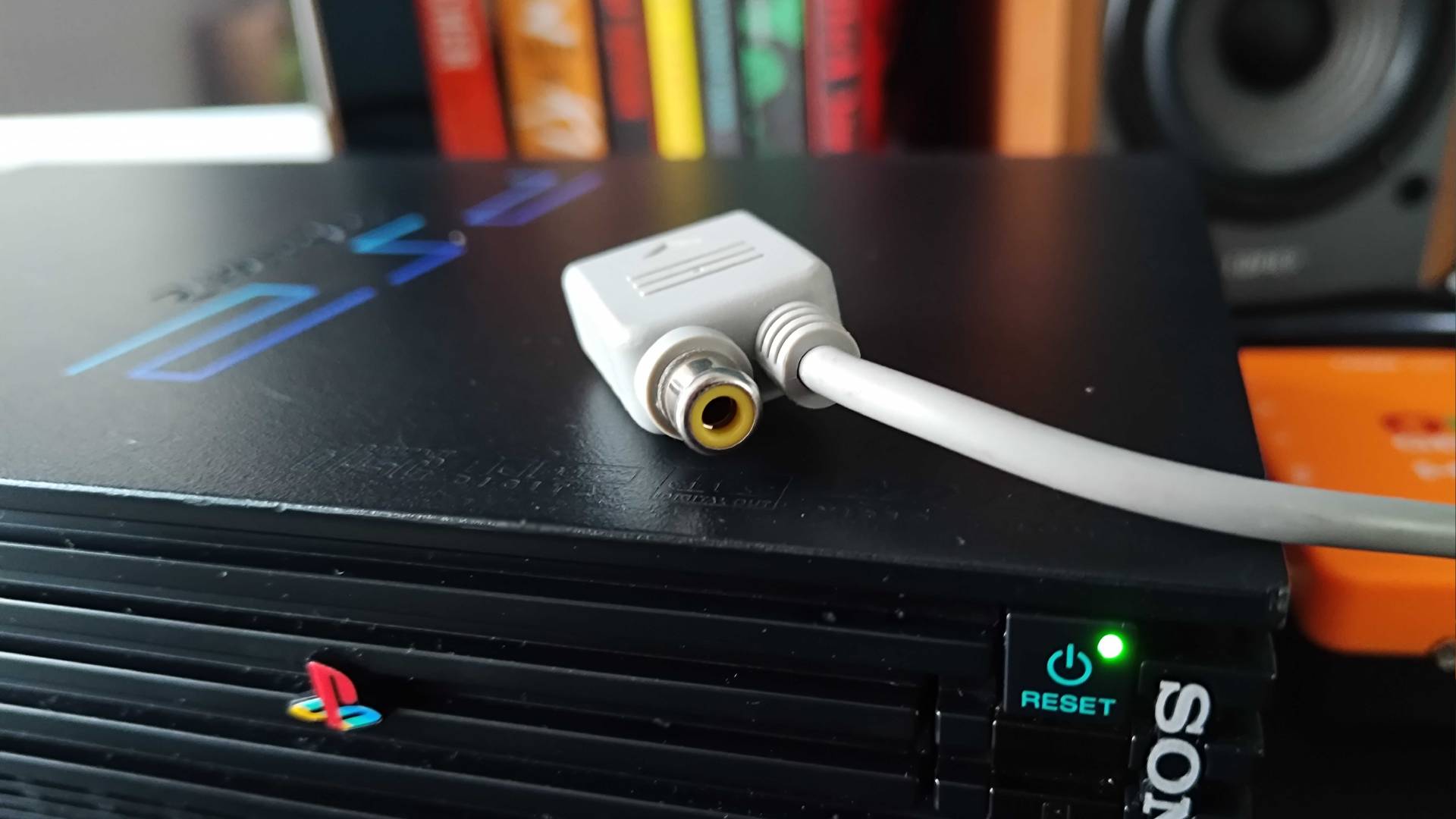
Of course, that technique can only be used by CRTs since it relies on detecting a white flash drawn by an electron beam scanlines. That's why I'm now talking about a modern alternative in the first place, but the Time Breaker still needs to mimic the inputs of that process back to your console using signals from its IR strip and camera sensor combo. I suspect the issue is that it'd either cost more or be more complicated to also mimic the solo controller port elements used by non-Guncon games, but it does limit your library scope.
With that in mind, my tests exclusively apply to Guncon games for now, even if I may delve into workarounds in the future. That means playing a hell of a lot of Time Crisis 2 and 3, and the Time Breaker really struts its stuff when gunning down Wild Dog's silly soldiers.
All I really want from a light gun is to gun down some guy on a balcony like I'm 007. Bond's shots always seem to land true in every old flick, with said soldier normally hurling to their demise following the traditional Wilhelm scream. The Time Breaker basically helped maintain that vibe in both Time Crisis games after getting calibration on point, and I was pretty taken aback with how accurate every shot felt when really trying to use the iron sight.
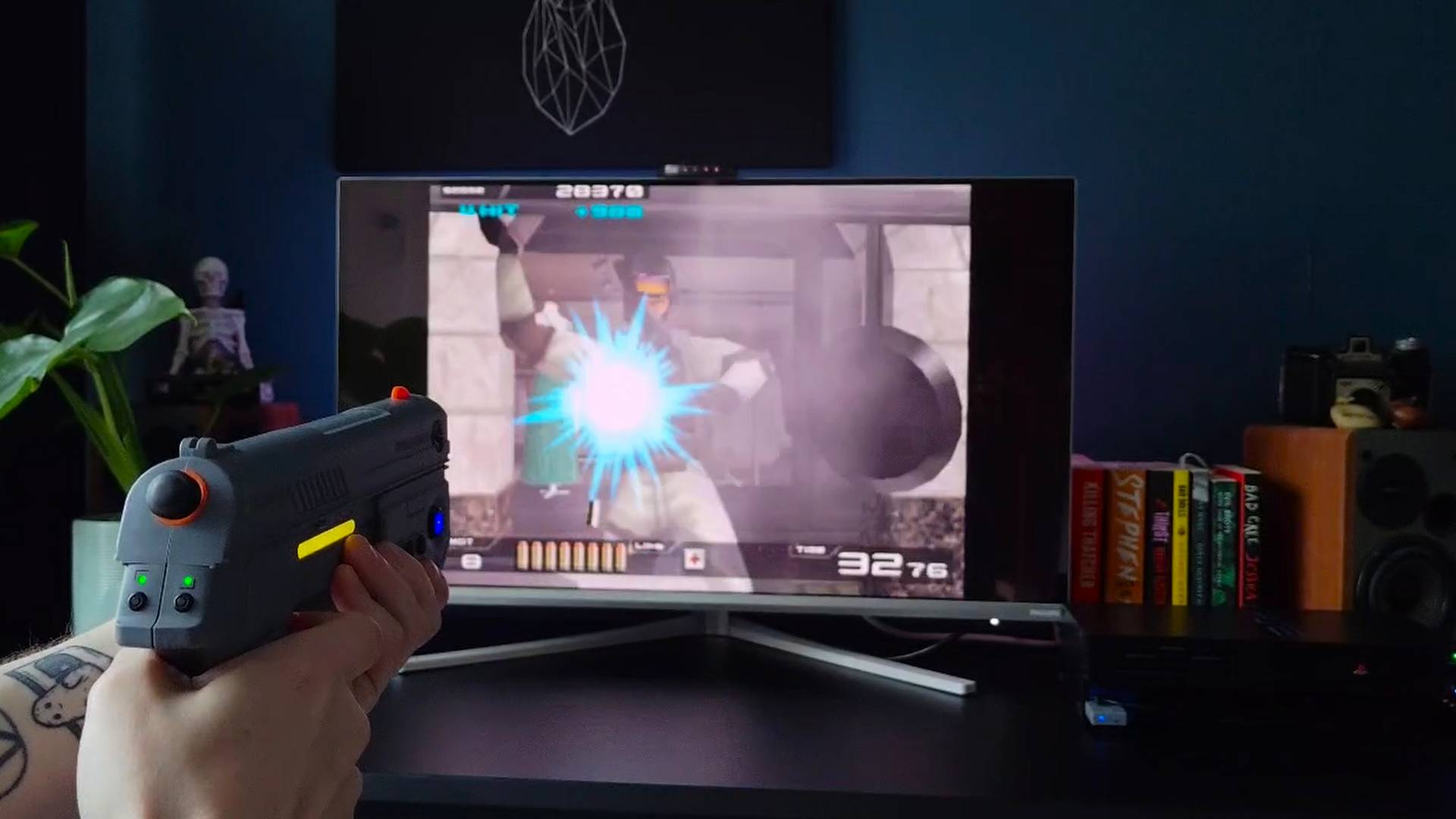
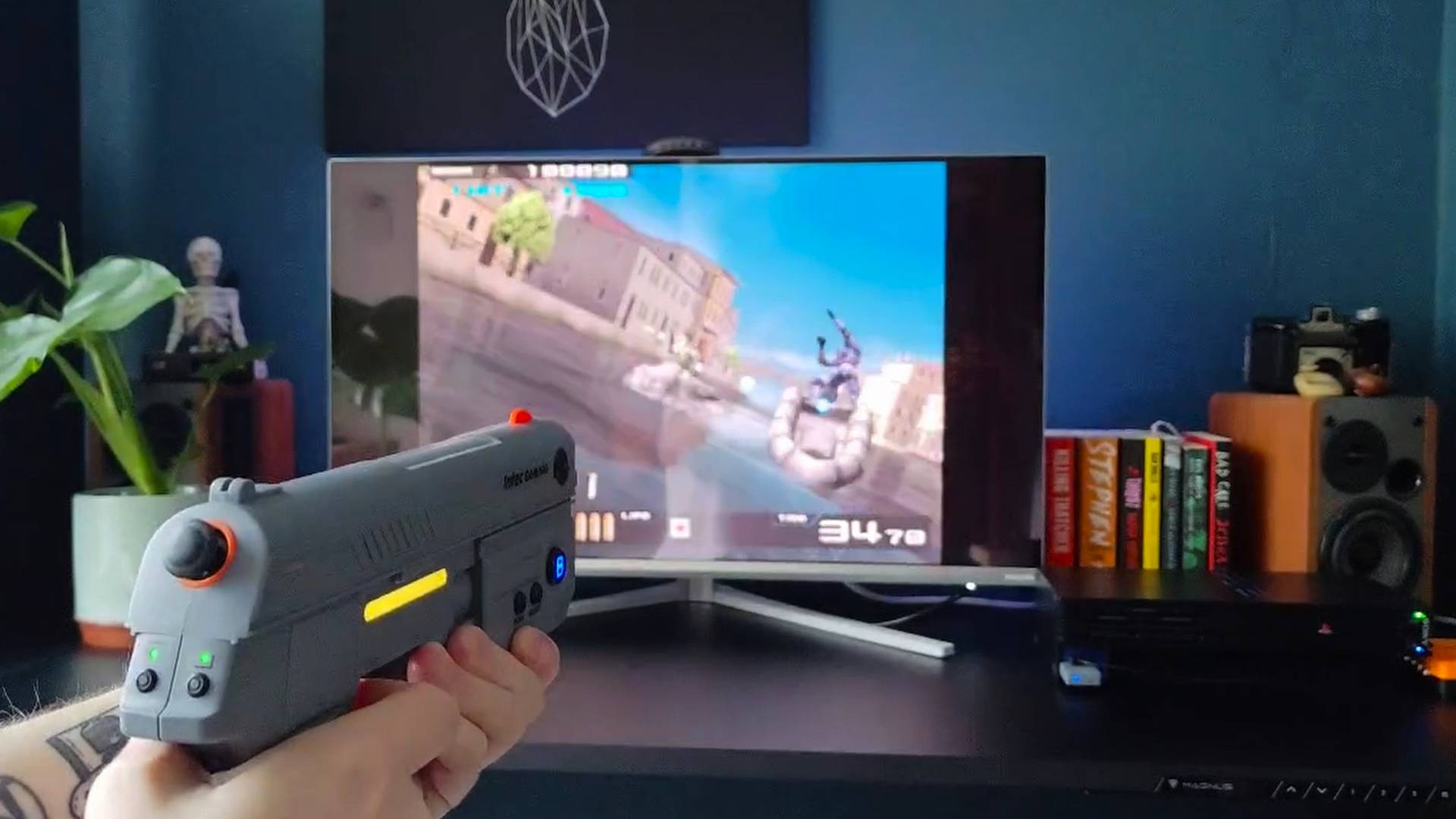
I suspect in most cases you would get away with minimal setup if you're playing casually. I've played on enough neglected Time Crisis cabinets to know that you can Scarface your way to the end by carefully watching the shot animation and adjusting your aim accordingly. Actually lining up your shot and kneecapping a goon really hits different, though, and it proves this gun can boast the same precision as the OG accessories.
I even had more success during the frustrating speedboat segment in Namco's shooter sequel, which is a bit of a bugger. The 60fps camera tech of the Sinden gun does ultimately feel that bit more pinpoint compared to the Time Breaker, but shots landing first time is a win in my book. Plus, keep in mind we're talking about a setup with no white borders, which feels like an appropriate tradeoff.
Ducking to reload matters just as much as unloading your mag, and the Time Breaker's button setup works wonderfully. I prefer to hold my thumb on the left A button when it's time to open fire, but the larger C button at the bottom is nice to have too. Using the on-board crouch feels nicer on Intec's gun compared to both the Sinden's smaller buttons and the G'AIM'E's oval toggles, but both of those options do have easy access to additional pedals.
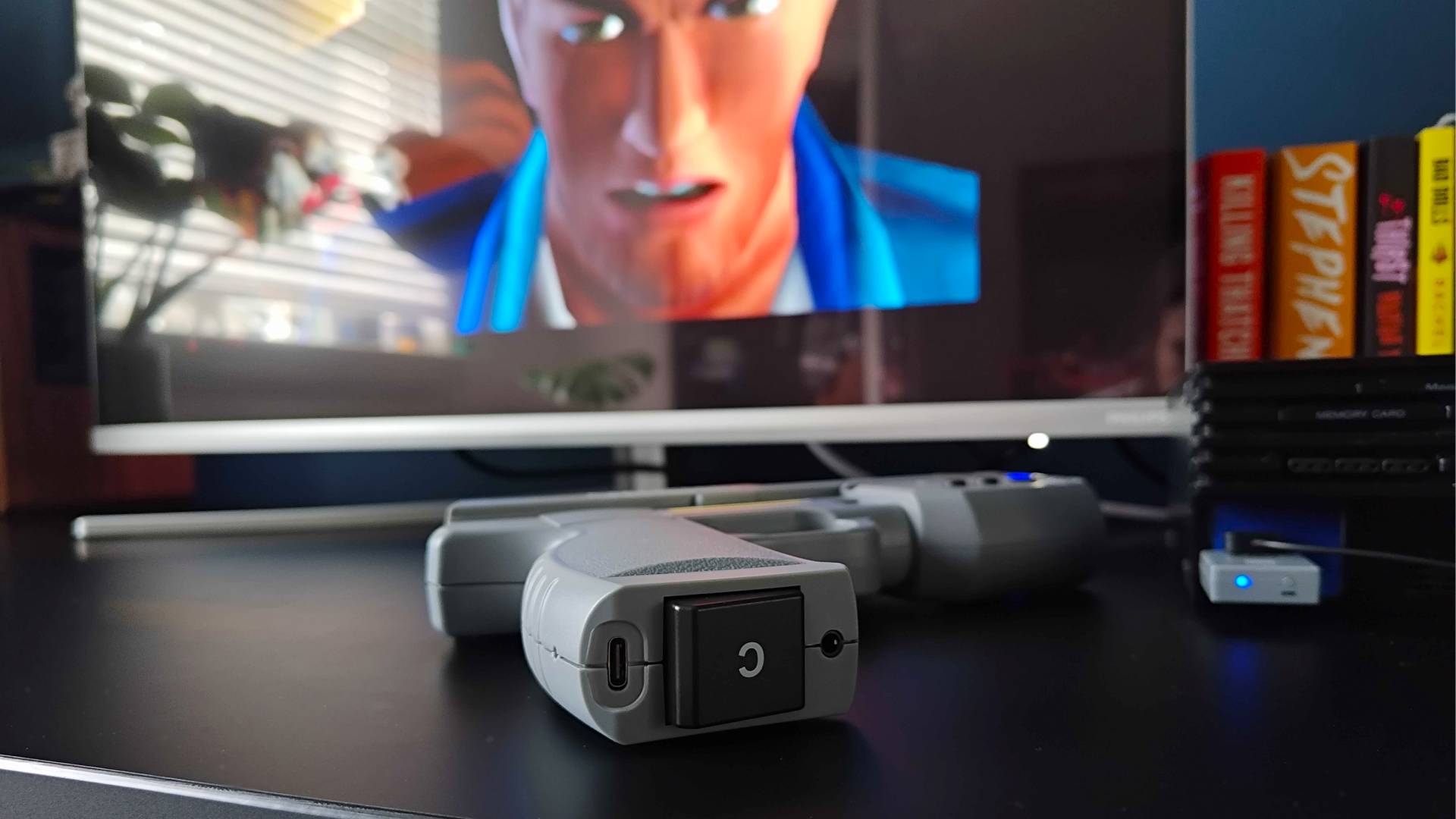
Let's face it, stomping on a big switch to fire is far more satisfying than a button press. I do wish the Time Breaker came with a foot pedal for the price, but I ended up realizing late that you can actually plug a 3.5mm into into the bottom of the gun. I haven't had a good chance to test this yet, or sourced a pedal that will work, so I'll come back with an update once I've messed around with the setup.
Less clack clack, more rumble rumble
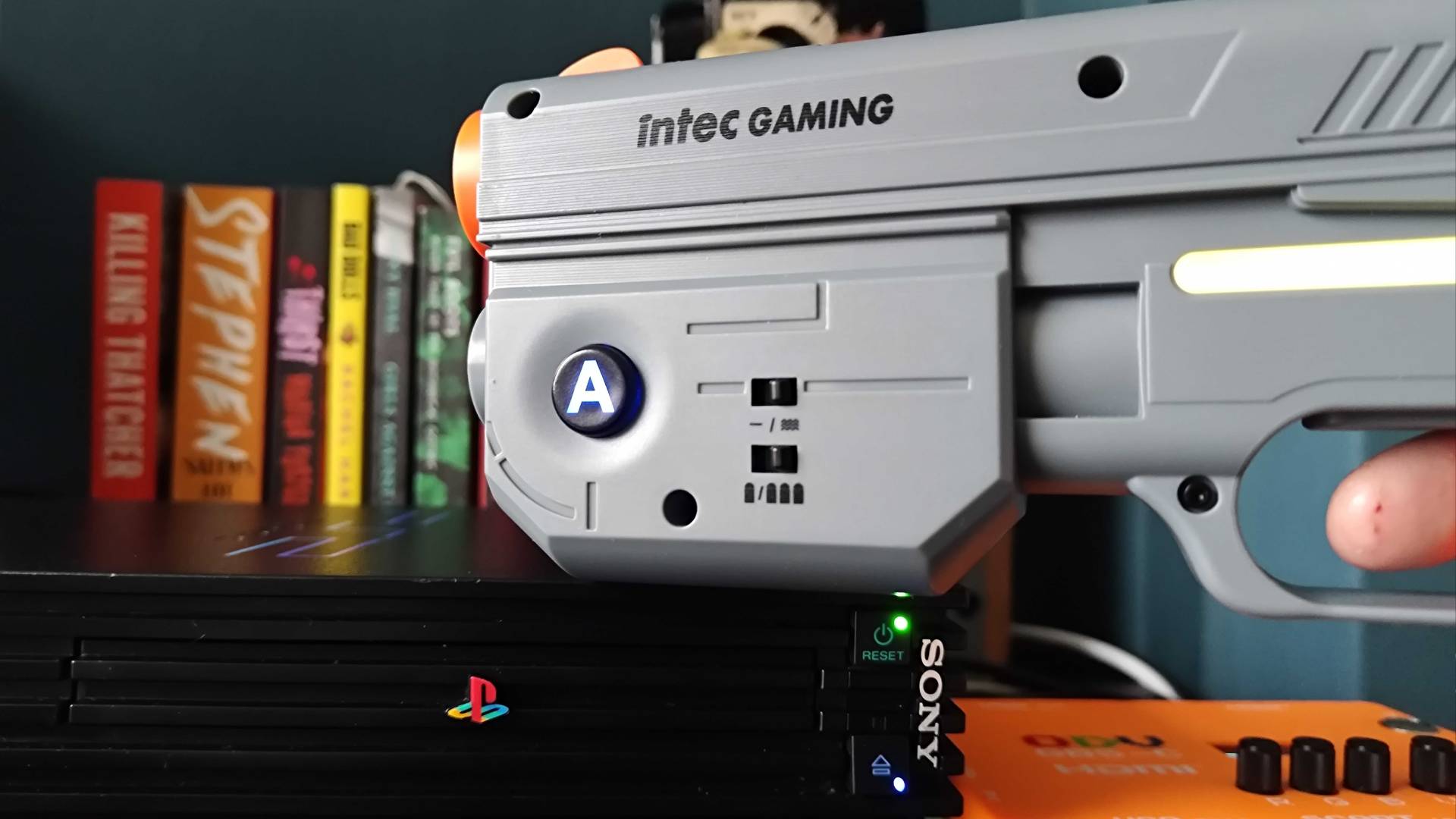
Let it be known that I think it's nice that the Time Breaker includes recoil at all. I also fully believe it enhances the experience, but it ultimately feels more like traditional rumble than a proper hand-shuddering clack.
You're only going to get that arcade recoil feel from the Sinden Lightfun since it uses a solenoid, whereas the G'AIM'E and Time Breaker guns stick with a subtler rumble response. Even though both are using weighted motors, the latter is a subtler burst compared to the Time Crisis console, and I suspect that's tied to preserving wireless battery life.
The feedback is still more than enough to aid immersion, not to mention it makes less of a racket when playing, say, at 2am when you should be sleeping (what can I say, this job really isn't a 9-5 affair). It does highlight how bananas the Sinden's actual moving recoil is, though, serving as a reason to go for the emulator-friendly gun instead.
That battery holds a lot of bullets
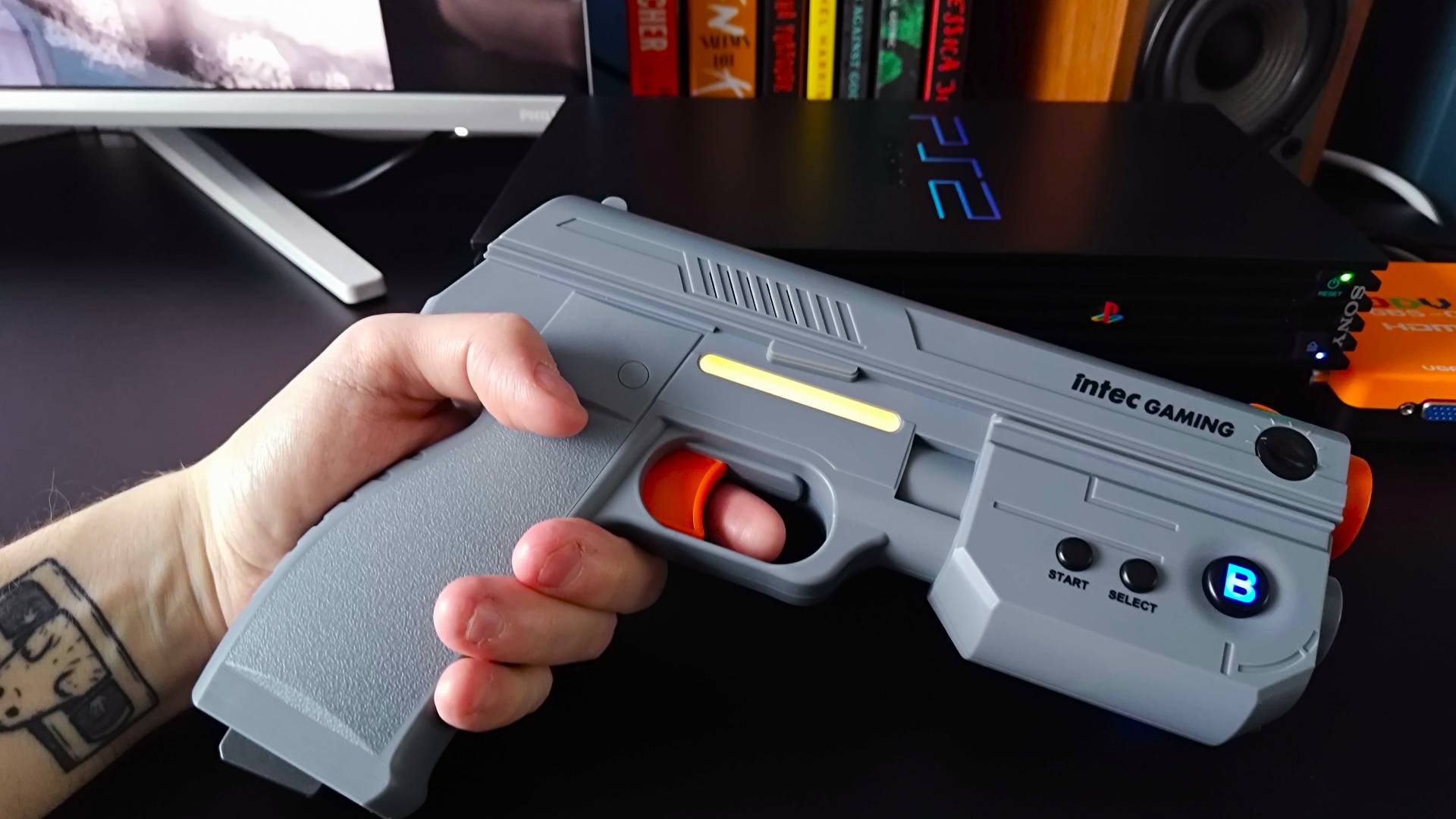
By including wireless connectivity and a built-in battery, the Time Breaker is opening itself up to more scrutiny. I feel like Intec knew it couldn't drop the ball on either, as managed to get over 12 hours out of the lightgun before reaching for a USB-C charger, and that's with the LED lights on and recoil enabled.
Yes, that's hardly surprising since most controllers boast a similar runtime these days, but it's still a nice feat. Recharging measured in at just over an hour and a half, and the gun also seems to retain its charge when unused, which is good considering the specific genre use case of this accessory.
The 2.4Ghz wireless also means there's minimal latency with the Time Breaker, and that's a godsend since we're basically talking motion controls. The last thing you want when shooting those rocket-launcher idiots in Time Crisis is your aim having noticeable lag, and as far as I can tell, there's minimal delay to any movements replicated on screen.
Should you pick up the Intec Time Breaker Lightgun for PS1/PS2?
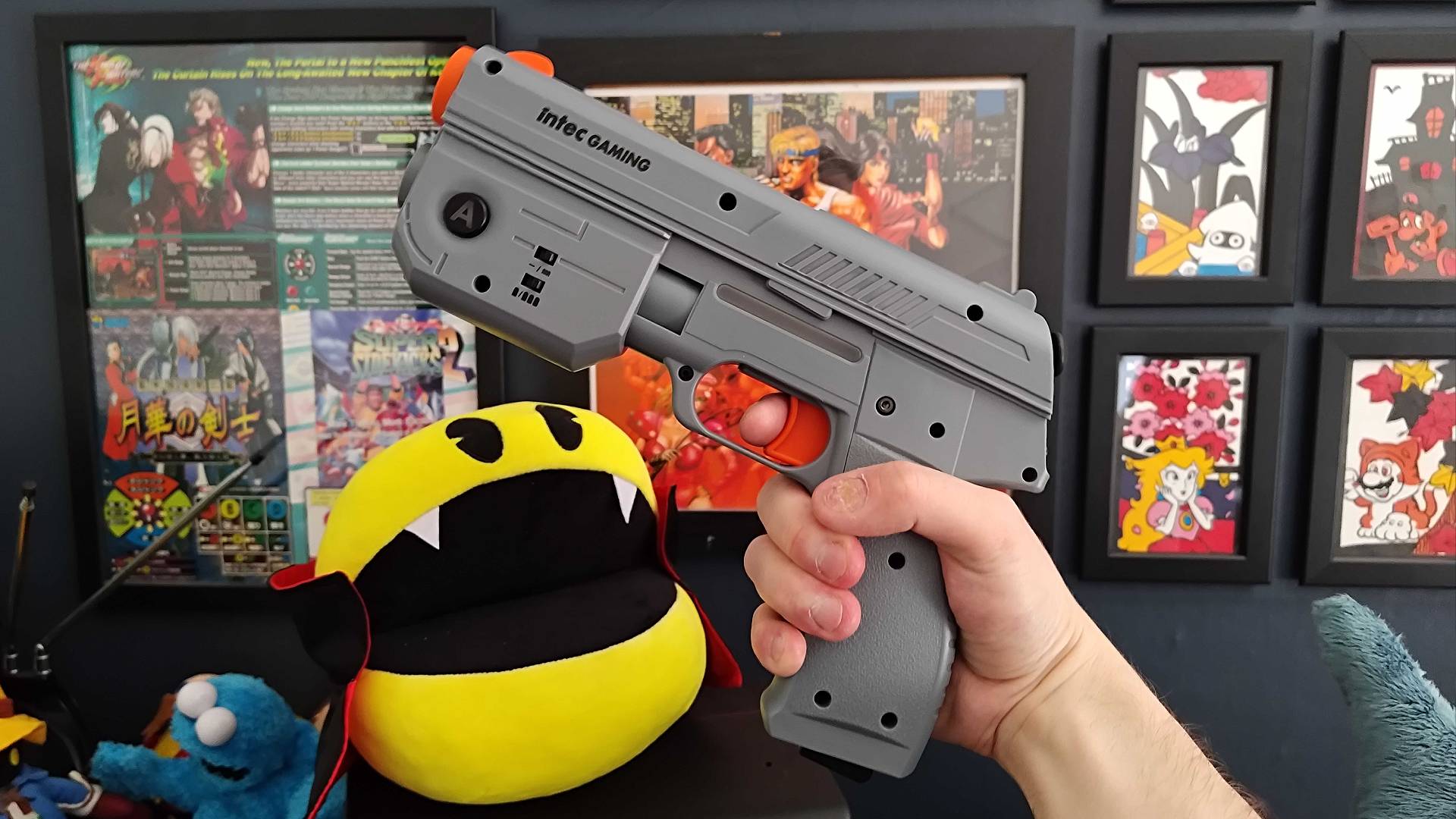
I'll admit that $160 feels like a lot for a single-genre accessory for the OG PlayStation and PS2, but the Intec Time Breaker proves its worth. It's the only light gun I know of out there right now that will fill the compatibility gap left by the transition from CRT TVs to modern LCD and OLED displays on an actual console, and focusing on the latter comes with bigger library benefits.
You could say that the Time Breaker further highlights the main issue with the G'AIM'E Time Crisis Console, as while it has nice wired lightguns that mimic the Guncon, it's confined to just four games on a static box. That pales in contrast to Intec's gun, which has every Guncon-compatible game released on the PS1 and PS2 on its plate, not to mention you can just pop a disc in rather than messing with emulators and more advanced software like with the Sinden.
Add the fact it's wireless into the mix, and you've got a modern light gun that feels like what should have been normalized in the post-CRT era rather than Wiimotes, Kinect, and those dorky Sony Move controllers with the big glowing ball. The Time Breaker's build quality and even small touches like RGB should serve as a blueprint for bringing back the neglected accessory type, but there are still caveats to be found.
I do think that if you want a reliable way to play Guncon games on a flat screen using an actual PS1 or PS2, the Time Breaker is the way to go. The main thing that's really holding this light gun back is being confined to just Guncon games, as it adds a sting to its $160 price point. That, and some calibration confusion aside, I do think Intec's accessory is a standout option for casual players, even if it doesn't quite knock the Sinden from the emulation enthusiast throne.
How I tested the Intec Time Breaker Lightgun for PS1/PS2
Over the course of a month, I used the Intec Time Breaker Lightgun as part of my PS1 and PS2 setup to play Guncon games like the Time Crisis trilogy. During testing, I assessed the accessories build quality compared to rivals like the G'AIM'E Time Crisis console and Sinden Lightgun while comparing its calibration process, accuracy, and additional features side by side.
For more information on how we test retro console and accessories, swing by our full GamesRadar+ Hardware Policy for a deep dive.
Swing by the best retro handhelds if you'd prefer to play your favorite classics on the go.